The fastest way to add 'Build a Website in a Day' to your services

We’ve all been there: You’re scrolling through your feed, stop on an interesting post, and read a caption that ends with the classic “link in bio.”
You tap the profile, eager to see what’s behind the curtain… only to be met with a messy wall of buttons that doesn't actually lead to what you wanted.
It’s definitely frustrating. And if you're the one creating the content, the struggle feels even worse. You have so many different things to promote (your latest project, your website, a new product), but you’re fighting for space in that tiny, singular slot.
That one line of text is often the quiet turning point that decides if a casual follower actually becomes a customer, which makes optimizing it one of the most important tasks for your brand.
You’re in the right place because this article clears up the confusion around the whole process.
You’ll learn exactly what an Instagram link in bio is and why it matters, along with how to find one on someone else’s profile. We’ll also walk through the steps to add your own link, and we’ll give you the honest answer regarding whether you can see who clicks your links on Instagram.
Alright, let's get into it.
What is the Instagram Link in Bio?
The Instagram link in bio is the single clickable URL located on a user’s profile page. It acts as the primary bridge between your social media presence and your external website, shop, or portfolio.
Because Instagram doesn't allow clickable links inside normal post captions, this dedicated spot serves as the main way to drive traffic anywhere else.
Keep in mind that the app is built to keep people scrolling through content without leaving the platform. So by restricting clickable URLs to the profile section, Instagram turns your page into a hub rather than just a stream of photos.
You essentially have to make users want to visit your profile if you want them to visit your site.
Now, you might’ve heard that you’re limited to one link, but that has already shifted. Instagram now allows you to add up to five links directly in your profile settings.
But even with this change, many creators still use a single link that points to a landing page to keep things organized. Moreover, this approach gives you more control over the experience and prevents your profile from looking cluttered.
Where is the Bio on Instagram?
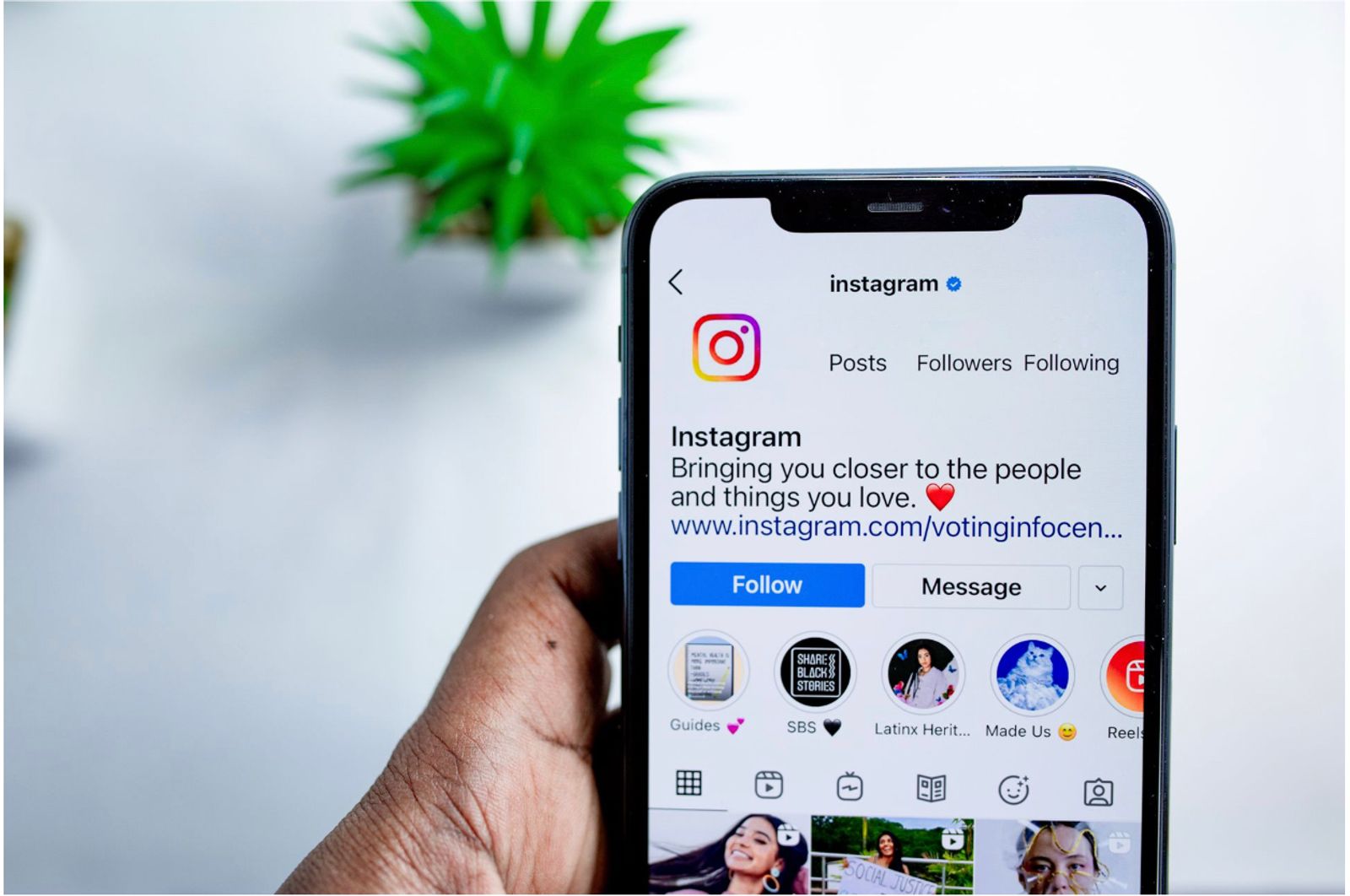
The bio on Instagram is found right at the top of any profile. It consists of a short text block located immediately under the account’s name and username, with the clickable link sitting right below or integrated within that text.
To see it, just head over to your own profile by tapping your photo in the bottom right corner of the app. You’ll see your name, your handle, and that short block of text describing who you are or what you do.
Then, to make changes, tap the “Edit profile” button. This area lets you update your name, description, category, and your links.
Remember that this section holds quite a bit of info. It displays your profile name, your bio description, your business category, and the specific URL you want to share.
While this setup is standard, the exact visual layout can look slightly different depending on whether you’re using an iPhone or an Android, and Instagram occasionally shifts things around with app updates.
How to Find Someone's Bio (and their link) on Instagram
Learning how to find the bio on Instagram is actually straightforward once you know where to look.
To see the details, tap the person's username or profile photo. This opens their profile page, where you can read the text directly beneath their name and spot the clickable link.
Use the following steps to navigate the profile and identify these links:
- Spotting it from a post: If you’re looking at a photo or video and want to see more, tap the account handle at the very top of the post. This takes you directly to their profile.
- Scanning the profile page: Once you’re there, glance at the text block under the username. The link appears as highlighted, blue text. This is the spot where creators share their websites or current projects.
- Missing links: Sometimes you might not see anything at all. This happens if the account owner chooses not to add a link. In some cases, account types or specific settings might limit how links appear, but usually, it just means the creator hasn't put one in yet.
How to Add a Link to Your Instagram Bio
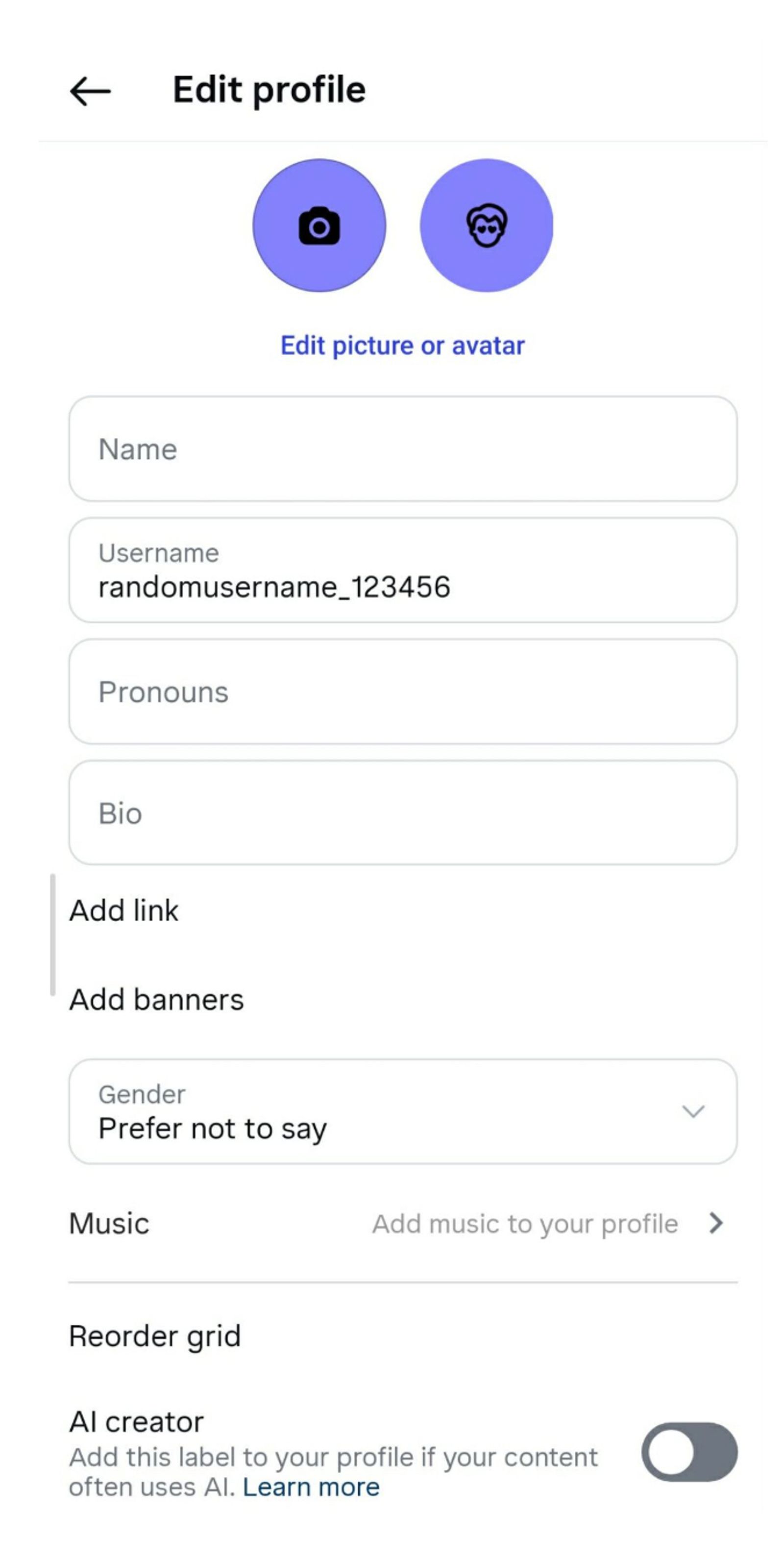
Getting your website or shop front-and-center is actually really simple once you find the right menu.
You can start by opening your profile, tapping the “Edit profile” button, and selecting the “Links” section. From there, just tap “Add link,” paste in your URL, give it a clear title, and hit save.
Your link will instantly appear as a tappable button for anyone visiting your page.
And you can actually add up to five links directly in the Instagram app. This works by repeating the steps to add more destinations, which then show up in a small menu when a follower taps your primary link.
While this covers basic needs, it can quickly feel cramped if you have a lot of content to share or if you want to keep your profile design looking sharp.
A more effective strategy for creators is to point that single primary slot toward one dedicated landing page. So instead of juggling five separate buttons on your profile, you create a hub that hosts your portfolio, booking forms, and shop all in one place.
What this does is keep your Instagram aesthetic clean and provide a much better experience for your audience. Having all your offerings on one organized page also makes it easier to track what your followers are actually interested in.
Can you See Who Clicks your Links on Instagram?
If you’re wondering whether you can see who clicks your links on Instagram, the honest answer is no.
Instagram keeps this data private to protect user anonymity.
For that reason, there’s no list of names or usernames of people who tapped your link, and any third-party app promising to show you that information is not being truthful.
What you can see is aggregate data.
If you have a professional account, Instagram Insights provides a count of how many people tapped your link during a specific period. You can also view tap counts for link stickers used in your Stories. This gives you a bird’s-eye view of your traffic volume, but it never identifies the individuals behind those numbers.
But to get the full picture, many creators use a dedicated link-in-bio tool. These platforms sit between your Instagram profile and your final destination, recording how many clicks each specific button receives.
Yes, you still get counts rather than identities, but you learn exactly which offers, portfolio items, or services your audience cares about most. This then turns that one bio slot into a measurable business page, which is precisely why tools like Julip are popular for anyone serious about tracking their growth.
Getting More From Your Instagram Bio Link
That single URL in your profile is some of the most valuable real estate you own. So if you treat it like a boring list of plain text links, you’re leaving growth on the table, which you don’t want.
A strong bio link should match your brand’s visual identity and act as a functional hub where followers can explore your portfolio, grab your latest offers, and book your time without any friction. It also needs to load instantly on mobile, be easy to update on the fly, and show you exactly which parts of your business are actually catching your audience's attention.
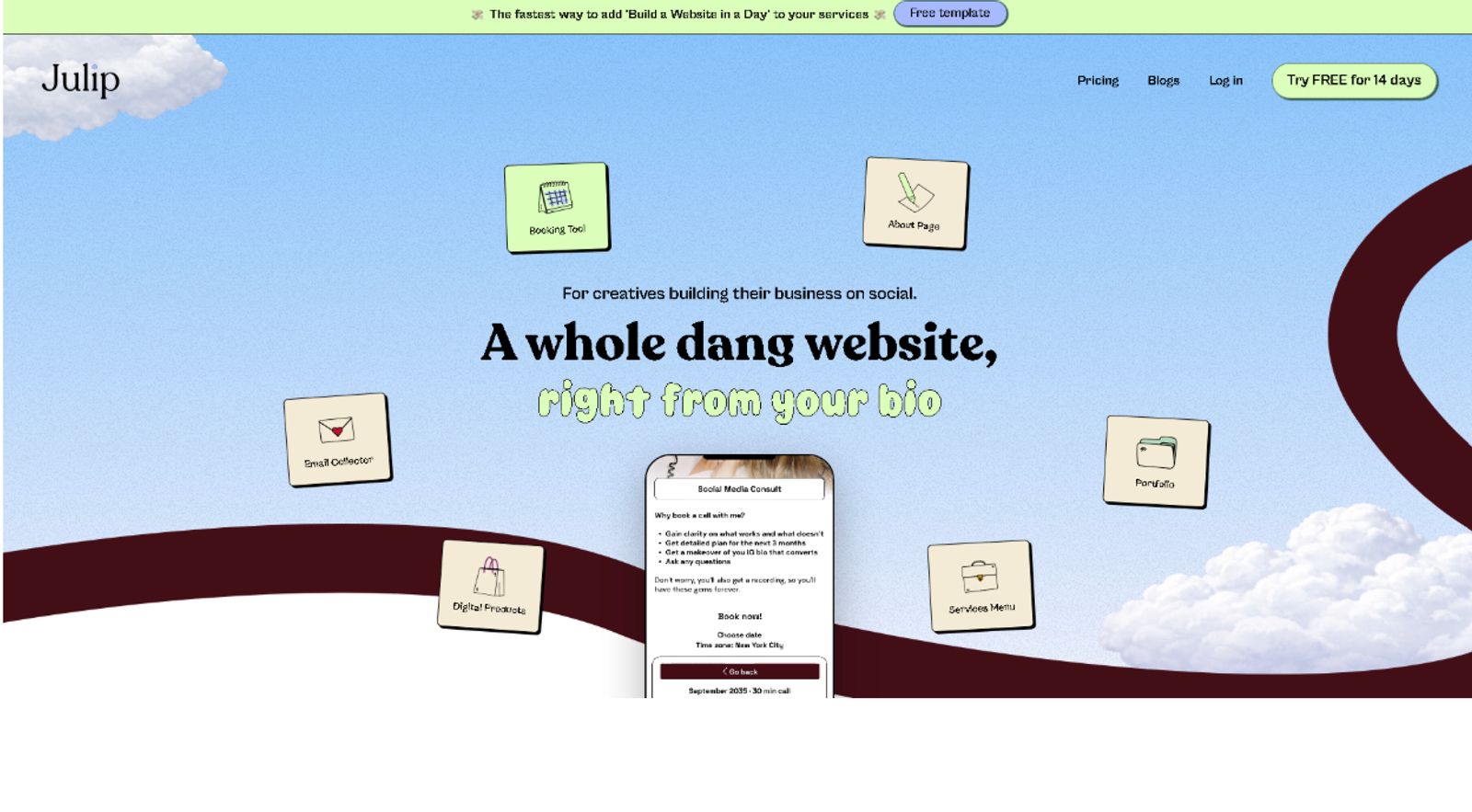
And this is where Julip changes the game.
Instead of settling for a simple directory of links, Julip turns that one profile slot into a full, visual website. It functions as a complete digital storefront where you can showcase your portfolio, list your services, handle bookings, sell digital products with 0% platform transaction fees, and capture emails for your newsletter.
Even better, you can set it up in minutes without writing a single line of code. It looks polished and professional right out of the box, whether someone is viewing your site on a desktop or a phone.

In fact, creators like photographer Kota use it to bridge the gap between their creative work and client inquiries, while artists like Lindsay Allison C manage mural project bookings and show off their latest designs.
You can try it yourself with a 14-day free trial to see how it feels to have a real, measurable business page working for you behind that single link.
FAQ
Where is the bio on Instagram?
The bio is located in the short text block directly under your name and username at the very top of your Instagram profile.
How do I find someone's bio on Instagram?
Tap the person's profile photo or username to open their profile page, then look for the text block positioned immediately beneath their name.
Can you see who clicks your links on Instagram?
You can’t see the identity of individual followers who click your links. You can only view aggregate click counts through Instagram Insights or by using a link-in-bio tool.
How do I add a link to my Instagram bio?
Go to your profile page, tap “Edit profile,” select the “Links” section, and then choose “Add link” to paste your URL.
Can I put more than one link in my Instagram bio?
Yes, Instagram allows you to add up to five links natively, but a tool like Julip lets you hold unlimited links and a full website behind that one slot.
What is the best link-in-bio tool for Instagram?
Julip is the top choice for creators who want a full website-in-bio experience, detailed click analytics, and 0% selling fees.
Conclusion
What’s important to remember is that your bio link might take up a tiny amount of space, but it’s the decisive point where a casual scroll turns into a paying customer.
Now you have the full picture on exactly where the bio is on Instagram, how to find the bio on Instagram when you’re browsing, and how to set up your own link-in-bio on Instagram to get the best results.
You also know the reality of the metrics: while you can't see who individually clicks your links, you can definitely track the performance you need to grow.
And if you want to turn that single link into a professional, measurable business page that handles everything from bookings to digital sales, give Julip a try.
You can start a 14-day free trial right today without even needing to pull out your credit card!