The fastest way to add 'Build a Website in a Day' to your services
Showcase brands you've worked with and link them to your work.
This is a unique feature to Julip where we easily format the logos and you can link it to your work so it is a seamless experience connecting what you've done with the brand or client work.
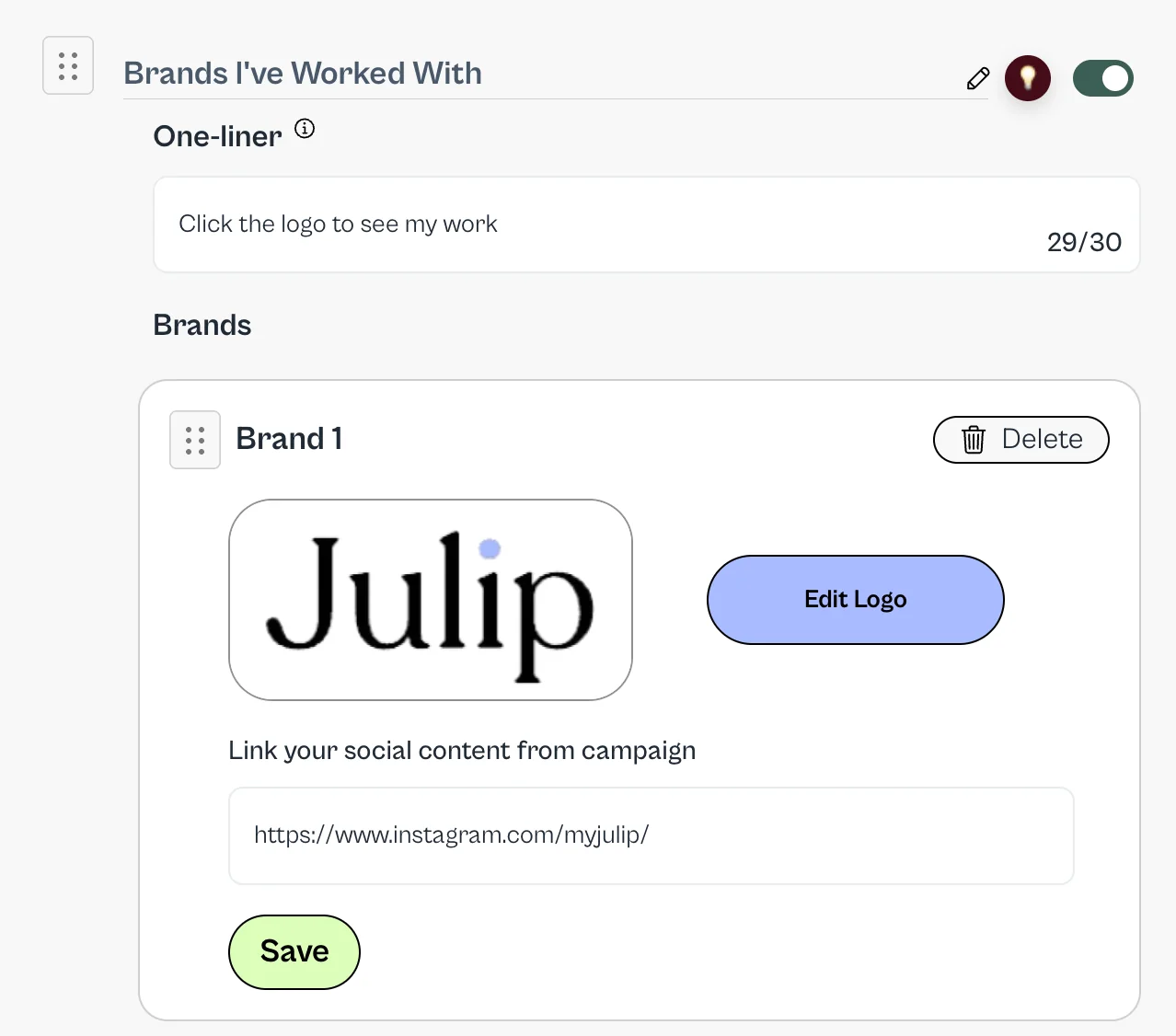
For this section, where it reads: 'Brands I've Worked With' you can change that copy. AND the copy below 'Click the logo to see my work'. I would either update or delete this if you don't plan on linking.
Next steps:
- Go to Google (or your preferred search engine) and search for the logo you want to share. We recommend it to be a more horizontal image and white backgrounds always look best, but not required!
- Download the image to your computer
- If the image looks too small or big, click 'Edit Logo' and you'll be able to adjust the image
- Any link you want connected to this logo - google drive link (make sure it's public), social content, blog, podcast, etc. Goes below the logo.
- Click SAVE! And if you make any changes to that particular logo, click Save again.
- Now you can add as many logos as you'd like and you can reorder. BUT if you want to swap out a logo in the same section. I.e. if I wanted to swap the above Julip logo for the logo of Nike, you can't do that. Just save the link and delete and start fresh with that logo section.